 Screen Divider
Spectacle for Mac is discontinued: what to use now
Spectacle was the first app a lot of people installed on a new Mac. It isn’t maintained anymore, and on Apple silicon it’s running on borrowed time. Here’s where it stands, what its shortcuts were, and what to switch to.
Checked on October 20, 2026 against the Spectacle and Rectangle GitHub repositories, rectangleapp.com and Apple Support.
What happened to Spectacle
Spectacle is a free, open-source app by Eric Czarny that moves and resizes windows with keyboard shortcuts. Its GitHub repository is now archived (read-only), the last code change landed on January 15, 2022, and the newest release is still version 1.2. The README puts it plainly: the project “is not being actively maintained,” the app stays available “at your own risk,” and Spectacle users have recommended Rectangle as an open-source alternative.
One practical warning: the old spectacleapp.com address no longer hosts Spectacle; it now shows an unrelated website. If you download Spectacle at all, get it from the GitHub releases page.
Does Spectacle still work?
On many Macs it still launches and works, but there are two catches:
- It’s Intel-only. We checked the Spectacle 1.2 download: the app is built for Intel (x86_64) only and asks for Mac OS X 10.9 or later. On an Apple silicon Mac it runs through Rosetta, Apple’s Intel translation layer.
- Rosetta has an end date. Apple’s support page on Intel-based apps and Rosetta says Rosetta is available on Apple silicon Macs through macOS 27, and that starting with macOS 28 it will only be available for certain older games. Expect Spectacle to stop working on Apple silicon Macs once you update to macOS 28.
Nobody is fixing bugs or updating it for new macOS versions either, so if something breaks after an update, it stays broken.
Spectacle’s default shortcuts, for reference
If you’re moving to another app and want the same muscle memory, these were Spectacle’s defaults (from its README). ⌥ is Option, ⌘ is Command, ⌃ is Control and ⇧ is Shift.
| Action | Spectacle shortcut |
|---|---|
| Left, right, top or bottom half | ⌥⌘ + Arrow (press again to cycle 1/2, 1/3, 2/3) |
| Upper left / upper right quarter | ⌃⌘← / ⌃⌘→ |
| Lower left / lower right quarter | ⌃⇧⌘← / ⌃⇧⌘→ |
| Center (no resize) | ⌥⌘C |
| Maximize | ⌥⌘F |
| Next / previous third | ⌃⌥→ / ⌃⌥← |
| Make larger / smaller | ⌃⌥⇧→ / ⌃⌥⇧← |
| Next / previous display | ⌃⌥⌘→ / ⌃⌥⌘← |
| Undo / redo last action | ⌥⌘Z / ⌥⇧⌘Z |
Rectangle: the free successor
For most Spectacle users the answer is Rectangle, and we’re glad to say so. It’s free, open source, actively maintained (version 2.0.3 shipped in October 2026), and its README describes it as “based on Spectacle.” Rectangle’s site calls it “nearly a complete drop-in replacement for Spectacle,” and when it first runs you can choose Spectacle’s default shortcuts, so nothing about your keyboard habits has to change.
According to its README, Rectangle also adds a few things Spectacle never had:
- Windows snap when you drag them to screen edges and corners (you can turn this off).
- Extra actions: move to an edge without resizing, maximize height only, almost maximize.
- Explicit thirds (first, center, last, two-thirds) instead of Spectacle’s next/previous third, with a way to get the old cycling back.
- An option to keep pressing left or right to move a window across displays.
Which version you get depends on your macOS. rectangleapp.com lists macOS 10.15 or later; the GitHub README says current releases need macOS 14 or later and points macOS 10.15–13 users to version 1.100. You can download it from the site or install it with brew install --cask rectangle. If you later want custom sizes and saved workspaces, the paid Rectangle Pro adds them; our Rectangle and Rectangle Pro comparison covers the details.
Or skip the app: macOS has tiling now
If all you used Spectacle for was left and right halves, you may not need an app. Since macOS Sequoia (macOS 15), you can drag a window to a screen edge or corner, or press Fn-Control-Arrow to move it to a half. It doesn’t do thirds or cycling sizes like Spectacle did. Our guide on how to tile windows on a Mac lists every built-in method and shortcut.
If you want zones instead of shortcuts
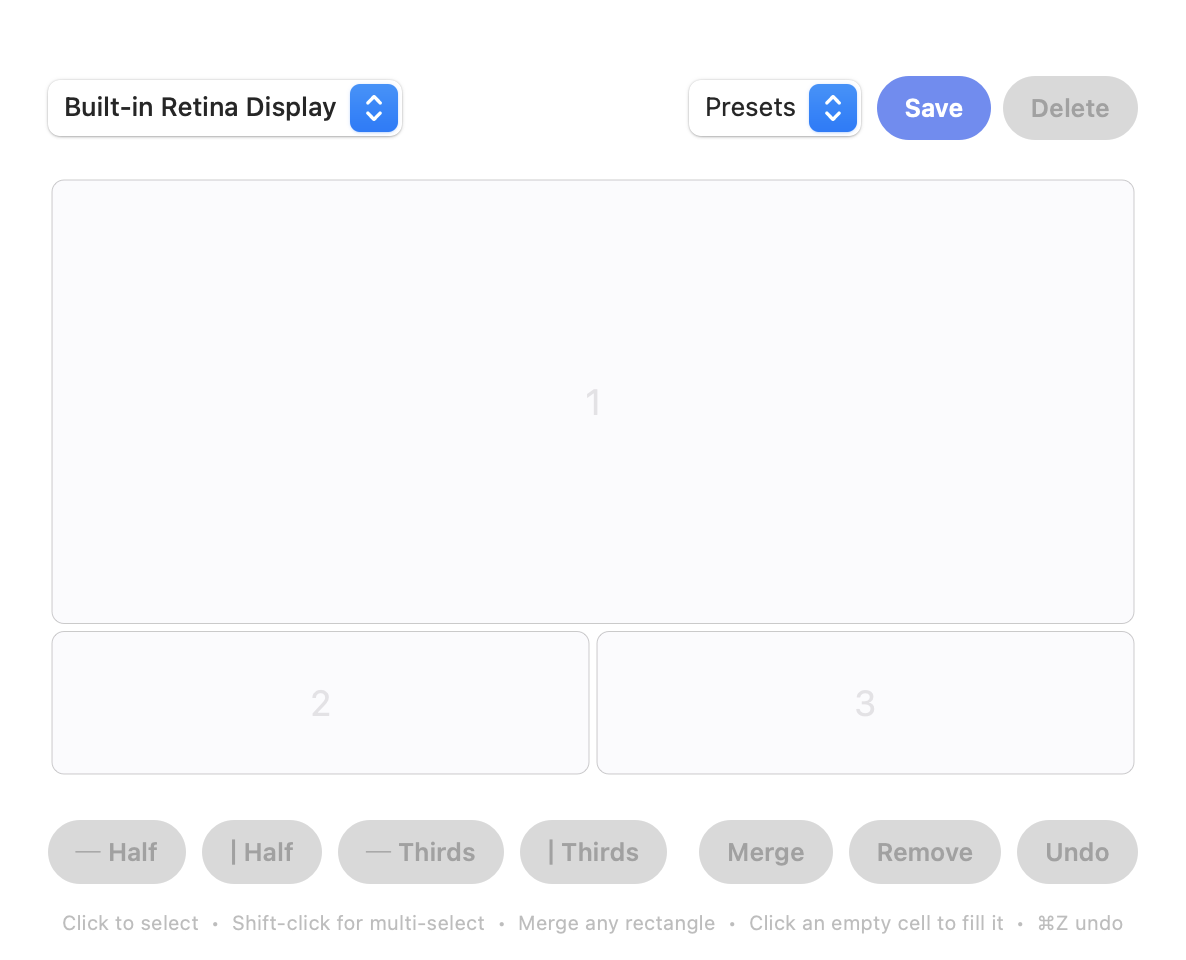
Spectacle, and Rectangle after it, are keyboard-first: every position is a fixed half, third or quarter tied to a shortcut. Some people outgrow that. If your ideal screen is a browser across the left three-quarters with chat and a terminal stacked on the right, a fixed shortcut can’t make that shape.
Screen Divider works the other way around. You draw a grid in a visual editor, merge adjacent cells into any rectangular zone, and then drag windows into those zones to snap them. Each display keeps its own layout. It’s a menu-bar app for macOS 13 Ventura or later, built for both Apple silicon and Intel, and costs $12 once. To be clear about the trade-off: it’s drag-first. If you live on keyboard shortcuts, Rectangle is the better fit.
| Spectacle | Rectangle | Screen Divider | |
|---|---|---|---|
| Status | Archived, last change January 2022 | Actively maintained | Actively maintained |
| Price | Free (open source) | Free (open source) | $12 one-time |
| How you move windows | Keyboard shortcuts | Keyboard shortcuts + drag to edges and corners | Drag into zones you design |
| Layouts | Halves, thirds, quarters | Halves, thirds, quarters and more preset actions | Any grid; merge cells into custom zones |
| Apple silicon | No (Intel-only, runs via Rosetta) | Yes | Yes |
| macOS | 10.9+ | 14+ for current releases (v1.100 for 10.15–13) | 13+ |
Which should you choose?
If you loved Spectacle as it was, install Rectangle, pick the Spectacle shortcuts on first launch, and you’re done; it’s free and it’s good. If you only ever used halves and you’re on macOS 15 or later, the built-in tiling may be enough. If you want layouts that aren’t halves and thirds, and you’d rather drag than memorize shortcuts, try Screen Divider. Still comparing? See our Magnet alternative comparison, the BetterSnapTool alternative, or the walkthrough on how to snap windows on a Mac.
FAQ
Is Spectacle for Mac discontinued?
Yes. Its GitHub repository is archived (read-only), the last code change was in January 2022, and the README says the project is not being actively maintained. Version 1.2 is the last release.
Does Spectacle work on Apple silicon Macs?
Only through Rosetta. The Spectacle 1.2 app is built for Intel (x86_64) only. Apple says Rosetta is available on Apple silicon Macs through macOS 27, and that from macOS 28 it will be limited to certain older games.
What is the best replacement for Spectacle?
For most Spectacle users, Rectangle. It is free, open source, based on Spectacle, and can use Spectacle’s default shortcuts when it first runs. If you would rather drag windows into custom zones than use shortcuts, a zone-based app like Screen Divider fits better.
Can I keep my Spectacle keyboard shortcuts?
Yes, in Rectangle. Its website says the Spectacle default shortcuts can be selected when the app first runs.