 Screen Divider
Put every window exactly where it belongs.
Screen Divider snaps your Mac windows into place the moment you drag them to a zone. Build any grid you like — then merge cells into layouts other window managers can't make.
One-time purchase · macOS 13+ · ~4 MB
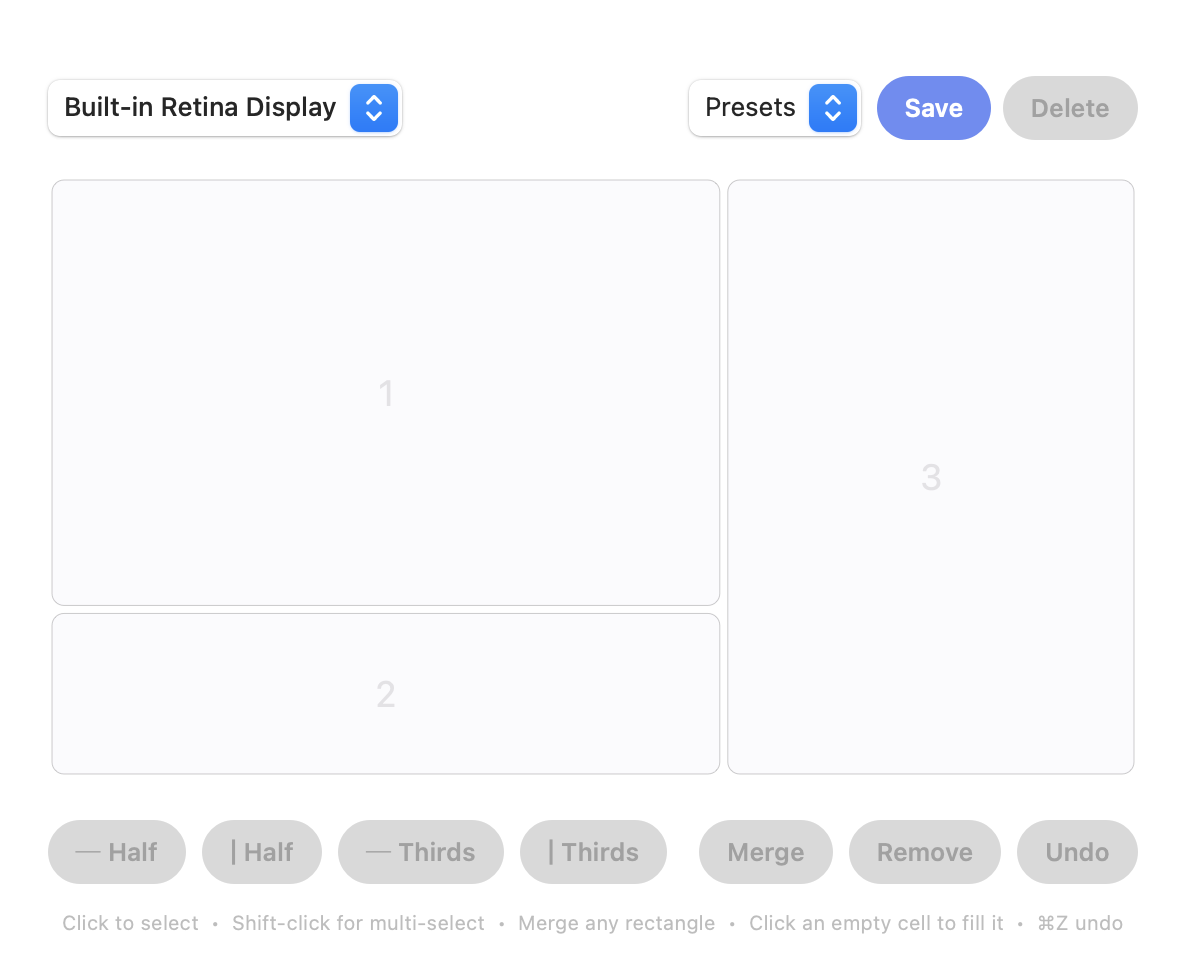
Zones that bend to your layout.
Most Mac window managers lock you to halves, thirds, and quarters. Screen Divider lets you fuse any rectangular block of cells into a single zone — a top three-quarters, a wide center, a tall sidebar. Your layout, not a preset.
A few of countless arrangements — split as fine as you like, then merge any block into one zone.
Drag to snap
Toss a window toward a zone and it snaps in and resizes to fit — browsers, Electron apps, and terminals included.
Build your grid
Split the screen into halves and thirds, as fine as your work needs. Visual editor, no config files.
Merge any rectangle
Fuse adjacent cells into one zone — the freedom a rigid snapping grid can't give you.
Every display
Per-monitor layouts. Each screen keeps its own grid, and windows snap on whichever one they're on.
Lives in the menu bar
Native Swift, a few megabytes, no Dock clutter. Launches at login and stays out of your way.
Stays current
Built-in updates. One click and you're on the latest — no reinstalling, no re-granting permissions.
Build a layout in seconds, then just drag windows in.
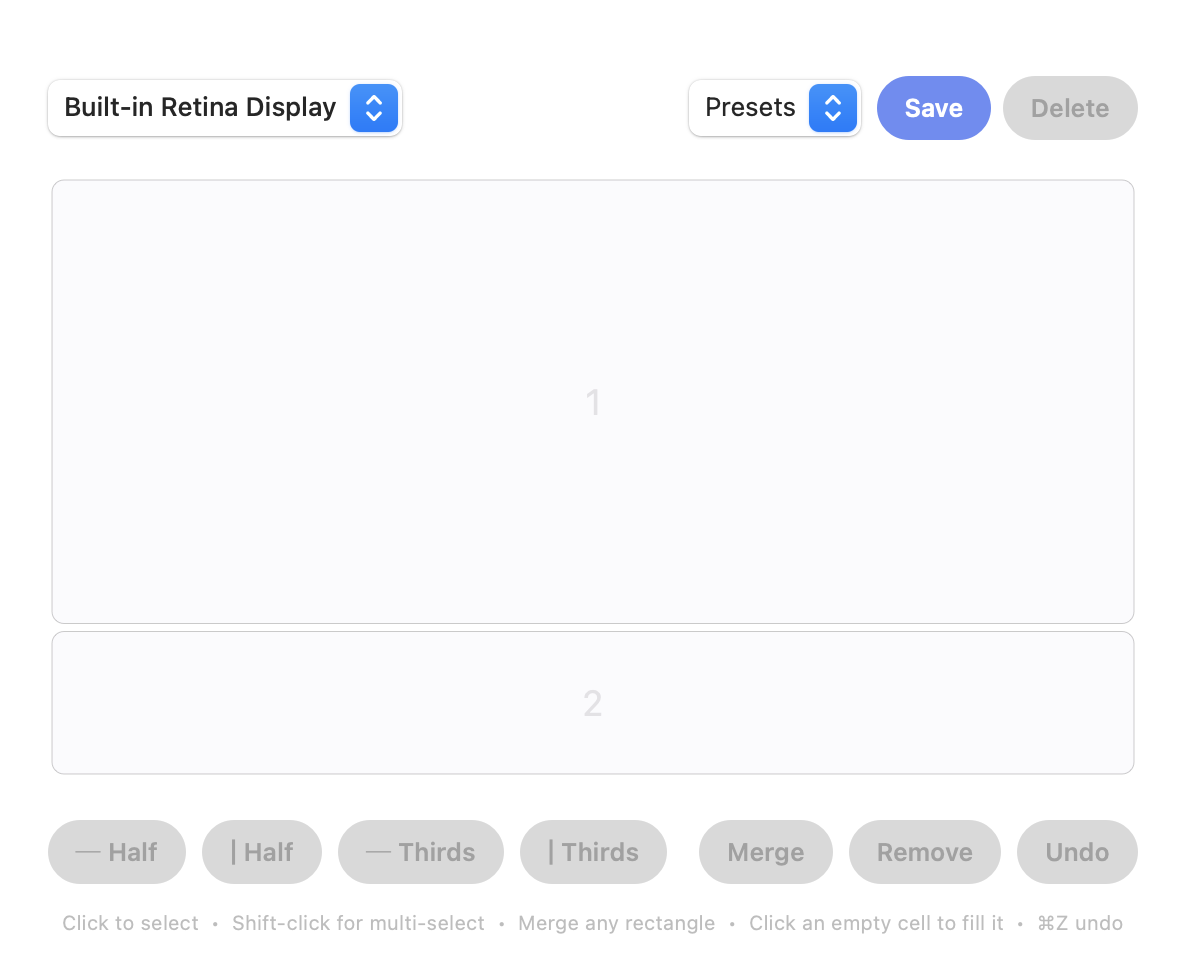
Split the screen
Open the editor from the menu bar and divide the screen into halves or thirds — as fine as you like.
Merge into zones
Select any adjacent cells and merge them into one zone. That's the layout you'll snap to.
Drag windows in
Drag any window toward a zone and let go — it snaps in and resizes to fill it.
One price. Yours to keep.
- Every feature — no tiers, no add-ons
- Free updates, forever
- Use it on your Macs
- 30-day money-back guarantee
Secure checkout · macOS 13 Ventura or later
Apple silicon & Intel
Good to know.
Will it work with my apps?
Yes. Screen Divider moves and resizes windows through the macOS Accessibility API, so it works with native apps, browsers, Electron apps like VS Code and Slack, and terminals.
Is this a subscription?
No. Screen Divider is a one-time purchase and updates are free. Buy it once, keep it.
What does setup involve?
Install, then grant Accessibility access once when macOS asks — that's the permission that lets any window manager move your windows. After that it just works.
Which macOS does it need?
macOS 13 Ventura or later, on Apple silicon or Intel. It lives in the menu bar and uses only a few megabytes.
Mac window management, explained.
App comparisons
- Magnet alternativeHow Magnet snaps windows, its price, and how custom zones differ.
- Rectangle alternativeWhat the free Rectangle app does, its shortcuts, and Rectangle Pro.
- Rectangle vs MagnetThe two most popular Mac window snappers, side by side.
- Divvy alternativeDivvy's grid approach compared with drawing your own zones.
- Moom alternativeMoom's saved layouts and shortcuts, and when zones fit better.
- BetterSnapTool alternativeSnap areas in BetterSnapTool next to zones in Screen Divider.
- Spectacle alternativeSpectacle is discontinued. What to use now, and its old shortcuts.
- yabai vs AeroSpace vs AmethystThree tiling window managers for the Mac, compared.
- FancyZones for MacComing from Windows PowerToys? Rebuild your FancyZones layouts.
How-to on macOS
- Snap windows on MacWindow snapping built into macOS, plus Windows-style habits.
- Split screen on MacSplit View steps and the split-screen keyboard shortcuts.
- Tile windows on MacmacOS tiling, Stage Manager, snappers and custom zones.
- Full screen on MacThe full screen shortcut, how to exit, and Fill vs Full Screen.
- Mission Control on MacMission Control shortcuts and working with Spaces.
- Stage Manager on MacHow Stage Manager works and how to turn it off.
- Show desktop on MacShow the desktop and minimize or hide all windows.
- Vertical monitor on MacRotate a display and tile windows on a tall screen.
- Switch windows on MacCommand-Tab, Command-` and closing all windows.
- MacBook dual monitorConnect, extend and arrange two screens, and keep windows tidy.